
XenWebManager no CentOS 6.5

Publicado por Daniel Lara Souza em 28/03/2014
[ Hits: 7.405 ]
Blog: http://danniel-lara.blogspot.com/

XenWebManager no CentOS 6.5
O XenWebManager é similar ao OpenXenManager, onde a diferença é o acesso via WEB.
Sua instalação no CentOS é muito fácil, adicione o repositório RPM Forge:
CentOS 6 32 bits:
# rpm -ivh http://packages.sw.be/rpmforge-release/rpmforge-release-0.5.2-2.el6.rf.i686.rpm
CentOS 6 64 bits:
# rpm -ivh http://packages.sw.be/rpmforge-release/rpmforge-release-0.5.2-2.el6.rf.x86_64.rpm
Agora, é só instalar:
# yum install xenwebmanager -y
Inicie o serviço:
# serviço xenwebmanager start
Coloque na inicialização do sistema:
# chkconfig xenwebmanager on
E para acessar, use o seu browser: http://<ip do xenwebmanager>:8080
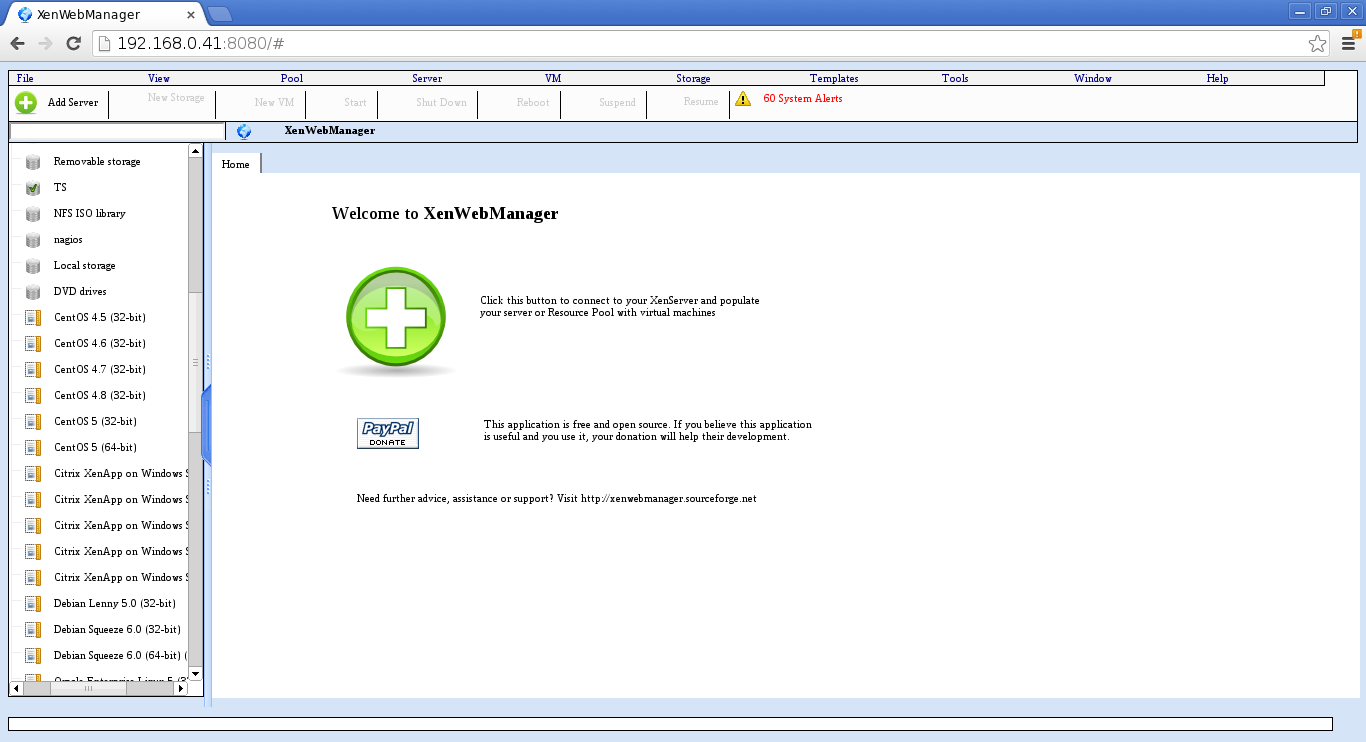
Espero que ajude.
Guia de referência:
- XenWebManager « Free software downloads at SourceForge.net
- AdditionalResources/Repositories/RPMForge CentOS Wiki
FAN (Fully Automated Nagios) no CentOS 5
Bacula no CentOS 6.3 - Via yum
Termux: Transforme Seu Android em um Terminal Linux
Instalando o Spark IM no Ubuntu
Midnight Commander (gerenciador de arquivos)
Hi Daniel,
Thanks for the nice post.
I have followed the instruction & installed my Xenwebmanager successfully.
Also I have added my Xenserver into it.
But while clicking on the console tab of any of the Xenserver or VM, I am getting below error message continuously.
Error: access denied ("java.net.SocketPermission" "<ServerIP>:8083" "connect,resolve")
Please help.
Regards
Santosh.
[2] Comentário enviado por sdbhabal em 05/11/2015 - 05:39h
Hi Daniel,
Thanks for the nice post.
I have followed the instruction & installed my Xenwebmanager successfully.
Also I have added my Xenserver into it.
But while clicking on the console tab of any of the Xenserver or VM, I am getting below error message continuously.
Error: access denied ("java.net.SocketPermission" "<ServerIP>:8083" "connect,resolve")
Please help.
Regards
Santosh.
Hi Santosh ;
Checks whether the firewall is active, had the same problem and was active firewall
Patrocínio

Destaques
Artigos
A produção de áudio e vídeo no Linux e as distribuições dedicadas a esse fim
Criptografando sua Home com Gocryptfs para tristeza do meliante
A Involução do Linux e as Lambanças Desnecessárias desde o seu Lançamento
O Journal no Linux para a guarda e consulta de logs do sistema
A evolução do Linux e as mudanças que se fazem necessárias desde o seu lançamento
Dicas
Instalar Ubuntu com Btrfs + LUKS de forma fácil
Habilitando "hotcorner" no Ubuntu
Zen Kernel no Arch Linux (instalar e remover)
Como instalar e remover o kernel Liquorix
Fazendo o controle de Xbox 360 USB funcionar no One Piece Pirate Warriors 4 (Arch Linux/Steam)
Tópicos
Continuando meus tópicos anteriores (9)
Executar um programa em Rust (2)
Não consigo publicar screenshots no Viva o Linux [RESOLVIDO] (5)
Top 10 do mês
-

Xerxes
1° lugar - 155.403 pts -

Fábio Berbert de Paula
2° lugar - 80.070 pts -

Buckminster
3° lugar - 44.934 pts -

Alberto Federman Neto.
4° lugar - 45.156 pts -

Alessandro de Oliveira Faria (A.K.A. CABELO)
5° lugar - 36.732 pts -

edps
6° lugar - 33.017 pts -

Sidnei Serra
7° lugar - 26.149 pts -

Mauricio Ferrari (LinuxProativo)
8° lugar - 25.716 pts -

Daniel Lara Souza
9° lugar - 23.764 pts -

Andre (pinduvoz)
10° lugar - 22.789 pts
Scripts

A maior comunidade GNU/Linux da América Latina! Artigos, dicas, tutoriais, fórum, scripts e muito mais. Ideal para quem busca auto-ajuda.
Site hospedado por:
